
Appearance
Certificate Requests
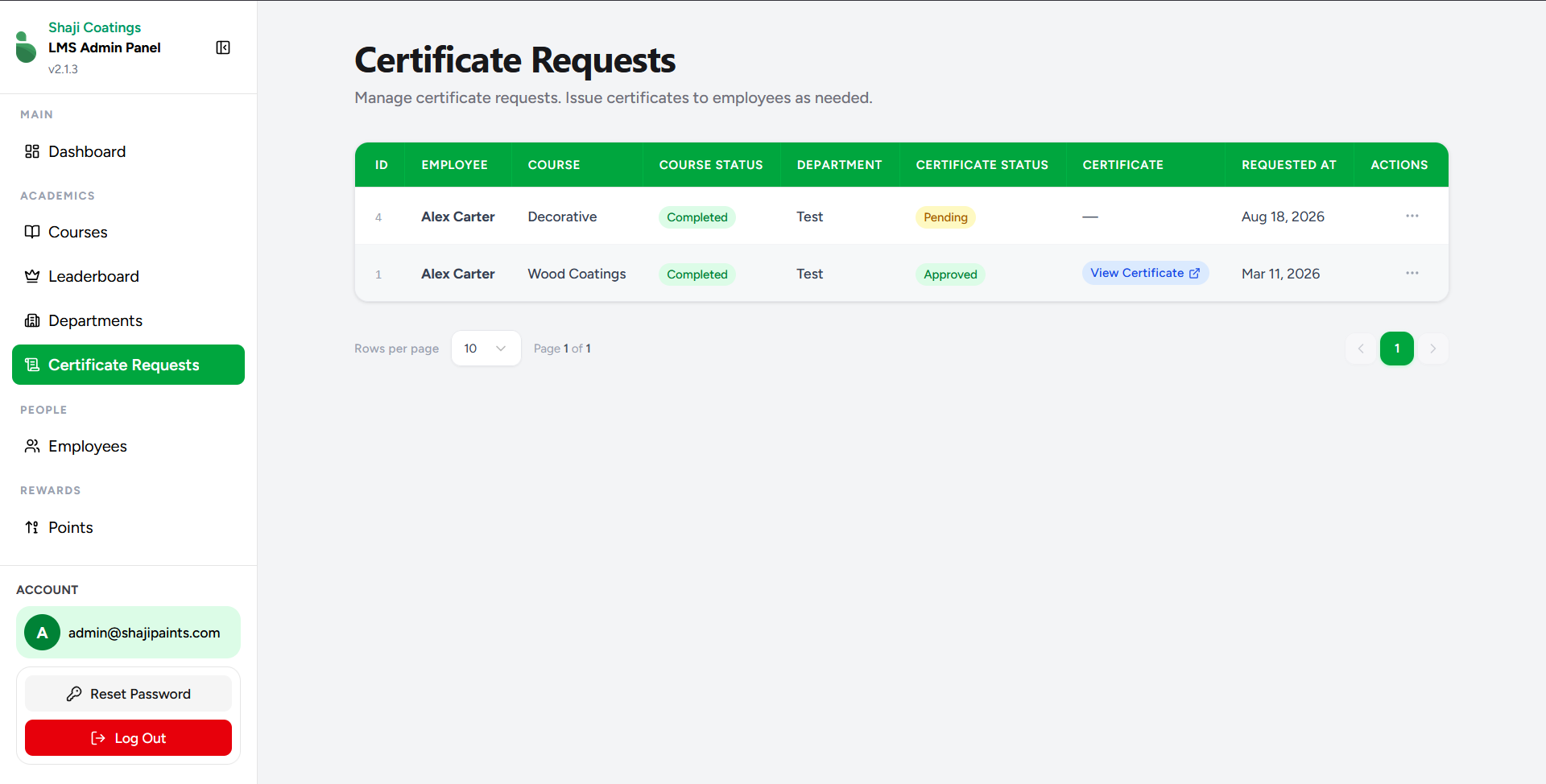
The Certificate Requests screen provides administrators with a dedicated queue to manage and fulfill course completion certificates for employees.
Overview
When employees successfully finish a course, their request for a formal certificate appears here. Administrators can review the details of the request and officially issue the credential.
Data Overview
The central table provides all necessary context to review a request before approval:
- ID: The unique identifier for the certificate request.
- EMPLOYEE: The name of the employee requesting the certificate.
- COURSE: The specific course the employee has undertaken (e.g., Decorative, Wood Coatings).
- COURSE STATUS: Confirms the employee's progress (e.g., Completed).
- DEPARTMENT: The department the employee belongs to.
- CERTIFICATE STATUS: Indicates the current state of the request (e.g., Pending, Approved).
- CERTIFICATE: Once approved, this column provides a direct link (
View Certificate) to access the document. - REQUESTED AT: The date the request was submitted.
- ACTIONS: A menu (represented by the
...icon) to execute operations on the request.
Issuing a Certificate
There is only one primary action available on this screen: Issue Certificate.
To approve a pending request, click the actions menu (...) on the corresponding row and select Issue Certificate. Executing this action triggers the automated certificate generation and database verification workflow via Supabase Edge Functions.
Once generated, the certificate becomes immediately available within the respective employee's personal panel. Additionally, the new credential is automatically registered for external validation, allowing it to be securely verified at any time via https://lms.shajipaints.com/verify/{certificateId}.