
Appearance
Certificates
The Certificates module allows learners to request official recognition upon successful course completion, track the approval status of their credentials, and download authenticated certificates.
Requesting a Certificate
When an employee completes 100% of a course's required modules and quizzes, a dedicated action banner appears at the bottom of the course details screen.
 Figure 1: Certificate request banner on the course details view.
Request Workflow
- Complete Course: Finish all course modules and pass required evaluations.
- Trigger Request: Click the Request Certificate button on the course page.
- Queue Notification: The system logs the request and notifies the Admin / HR department for audit and validation.
Managing Certificate Statuses
Once a certificate is requested, it appears inside the central Certificates tab. Certificates follow a strict state machine lifecycle from initial submission to final verification.
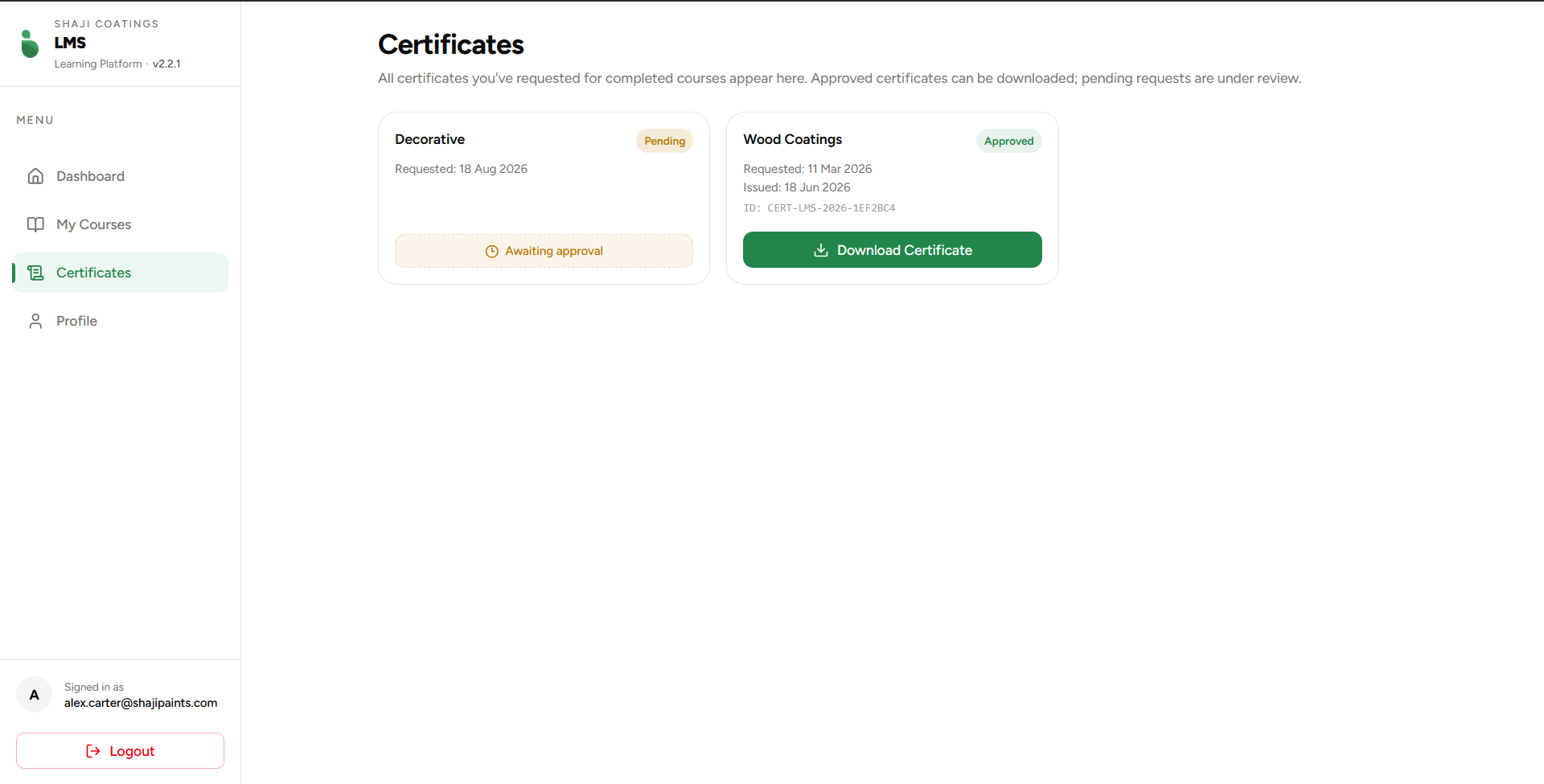 Figure 2: The certificates management page showcasing lifecycle states.
Certificate States
The dashboard renders different card components conditionally depending on the backend approval state:
1. Pending State
- UI Indicators: Displays a yellow/amber
Pendingbadge alongside an Awaiting approval placeholder outline button. - Metadata: Displays the exact date the request was initiated (
Requested: DD MMMM YYYY). - Behavior: The action item is disabled while the application is under HR review.
2. Approved State
- UI Indicators: Displays a green
Approvedbadge alongside a prominent Download Certificate action button. - Metadata: Enriches the card with additional production data:
- Requested Date: The initial submission timestamp.
- Issued Date: The exact timestamp of Admin/HR verification.
- Unique Credential ID: A unique serial string identifier formatted as
CERT-LMS-[YEAR]-[HASH](e.g.,CERT-LMS-2026-1EF2BC4).
Verification & Authenticity
To prevent credential falsification and maintain institutional integrity, every generated certificate is securely signed and verifiable through our backend architecture:
- Unique Identifiers: Every approved certificate is stamped with a distinct, system-generated ID that maps directly to the user's completion record in the database.
- QR Code Integration: The downloadable certificate document includes an embedded QR Code that encodes a direct verification link.
- The Verification Portal: Scanning the QR code instantly redirects managers, clients, or third parties to our centralized verification gateway using the following URL structure:
txt
https://lms.shajipaints.com/verify?id=certificateID- Real-time Validation: Upon hitting this endpoint, the backend queries the database to match the
certificateID. It returns an official verification page confirming if the document is authentic, active, and belongs to the specified employee.