
Appearance
My Courses
The My Courses section acts as the primary directory displaying every training track assigned to your profile by Administration or Human Resources.
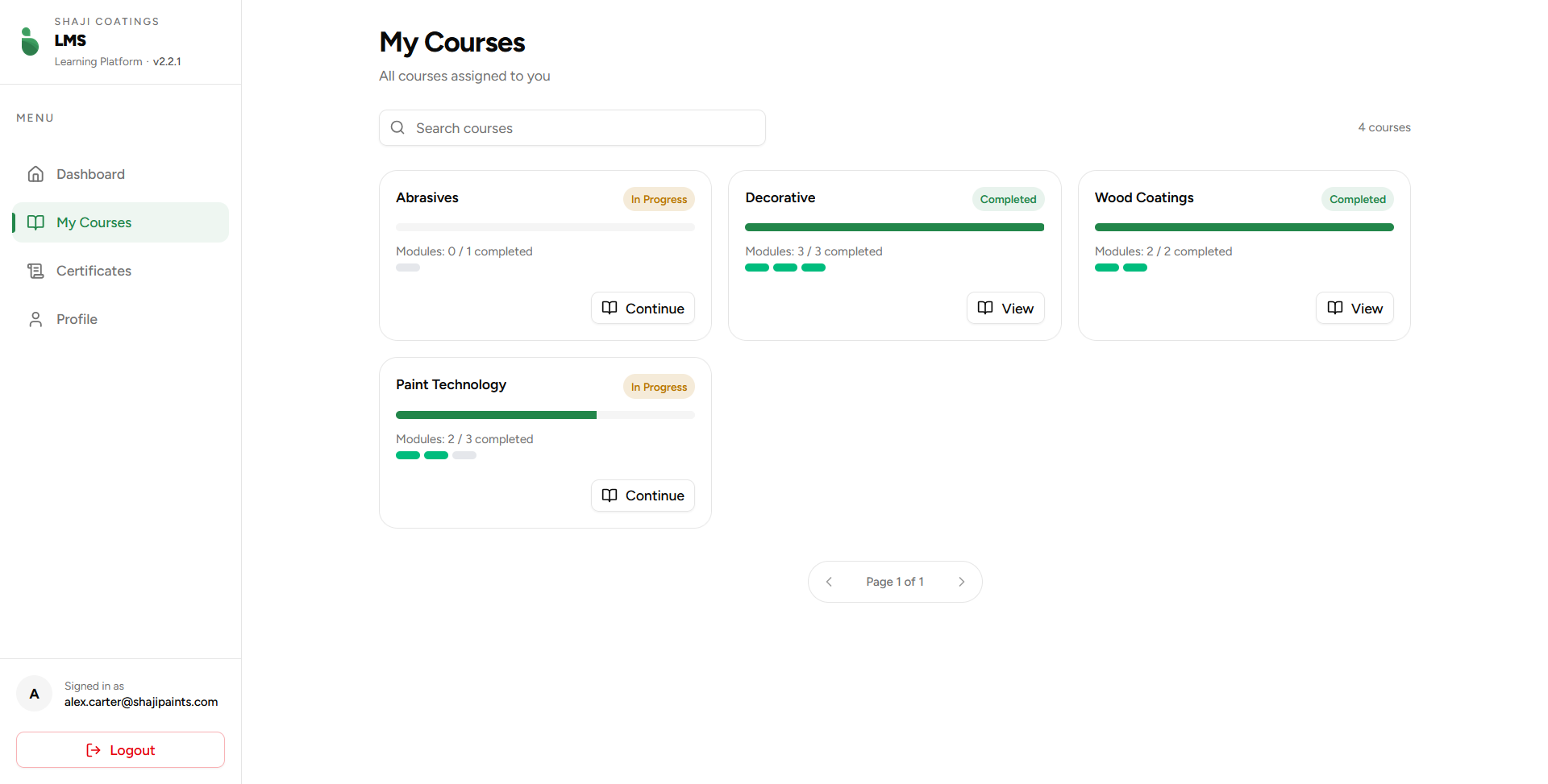 Figure 1: The main courses catalog and tracking board.
Catalog Features
- Live Search Utility: Located at the top left, the Search courses input allows instant text filtering across available course titles.
- Pagination Control: Located at the base of the layout, pagination blocks ensure optimized render speeds if multiple rows of courses are assigned.
Course Navigation
Each course is rendered dynamically based on current tracking states:
| State | Visual Indicator | Action Type | Resulting Action |
|---|---|---|---|
| In Progress | Yellow Status Badge | Continue | Resumes at the earliest uncompleted module layer. |
| Completed | Green Status Badge | View | Opens the modules directory for reference or review. |
To drill down into a track's modules and individual evaluations, click either Continue or View to open the Course Details & Modules interface.