
Appearance
Profile
The Profile screen provides learners with a centralized view of their personal details, account history, corporate alignment, and historical learning achievements.
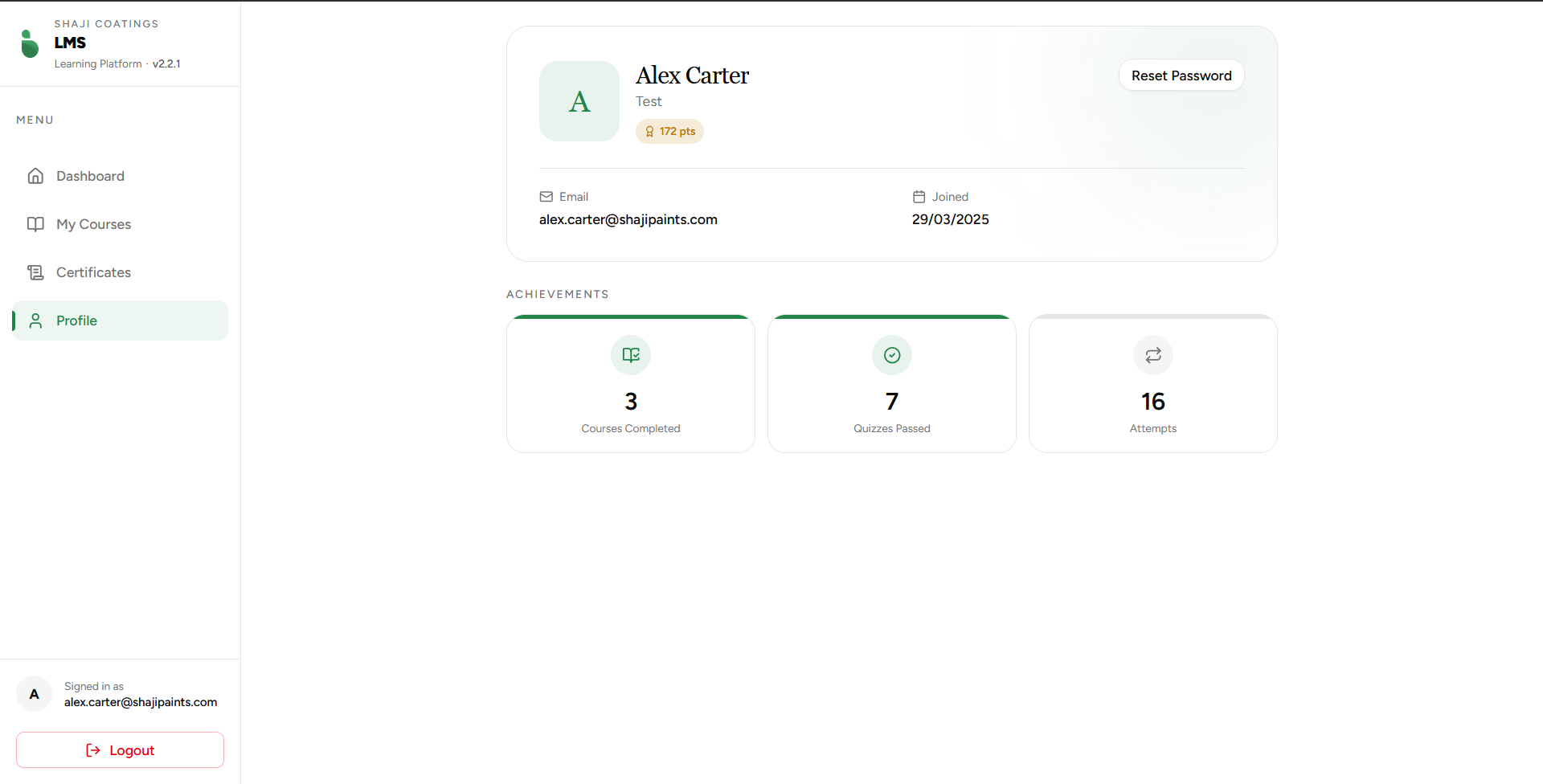 Figure 1: The employee profile management and achievement summary interface.
Employee Information Header
The top hero banner presents the identity and organizational context of the logged-in employee:
- User Avatar: A stylized letter placeholder indicating the user's initial.
- Full Name: Displays the employee's official registered name (e.g.,
Alex Carter). - Department Tag: Located directly below the name, this field dynamically displays the employee's assigned corporate business unit or team (e.g.,
Test,Sales,Accounting). - Points Badge: Highlights the total gamified reward points accumulated across all completed training courses and modules (e.g.,
114 pts). - Reset Password Action: A dedicated Reset Password button that triggers a secure credentials change or password reset request workflow.
Account Metadata
The Account subsection houses structural operational logs related to the user's system profile:
| Field | Description | Format / Example |
|---|---|---|
| The employee's unique corporate email address used for login authentication and communications. | alex.carter@shajipaints.com | |
| Joined | The registration date showing exactly when the employee's account was provisioned on the platform. | DD/MM/YYYY (e.g., 29/03/2025) |
Performance Achievements
The Achievements grid aggregates historical, read-only analytics reflecting the employee's engagement and performance metrics across their entire platform journey.
1. Courses Completed
- Icon Indicator: Book checkmark symbol.
- Definition: The total count of unique training courses where the user has completely finished all constituent modules and required exercises.
2. Quizzes Passed
- Icon Indicator: Checkmark badge.
- Definition: The absolute number of quiz evaluations successfully finished with a passing grade.
3. Attempts
- Icon Indicator: Sync/Circular arrows symbol.
- Definition: The cumulative number of times the user has attempted quiz submissions or retaken module assessments. Comparing this against Quizzes Passed provides administrators with visibility into individual learning curves and training difficulty.